Website Accessibility in 2026: What UK Small Businesses Need to Know
Over 14 million people in the UK live with a disability - and most small business websites are not accessible to them. Here is what the law says, what you can fix this weekend, and why Google rewards you for it.
Quick answer
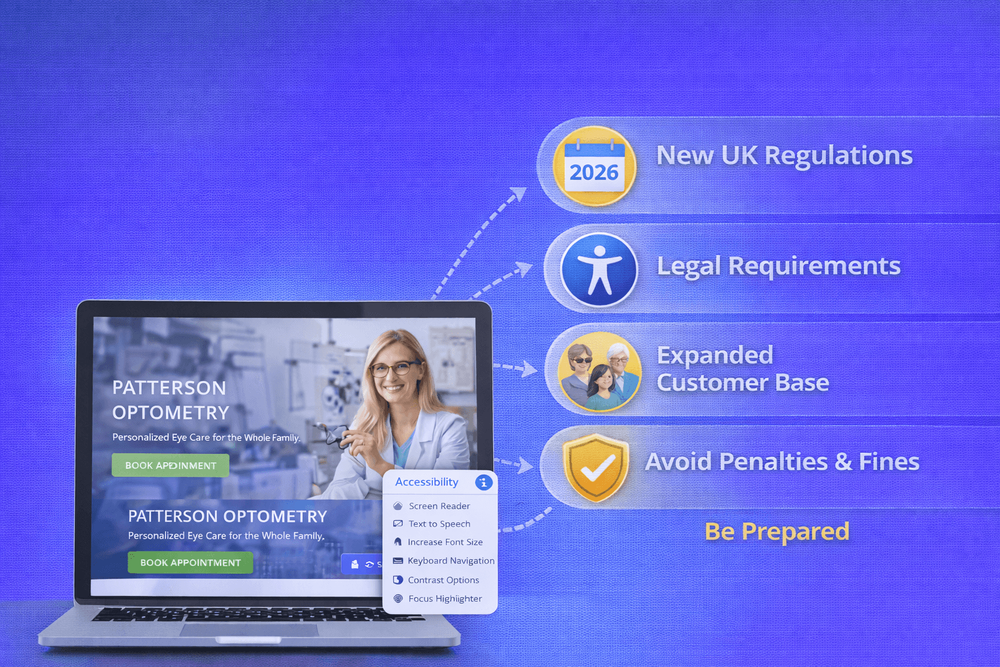
Over 14 million people in the UK live with a disability. Their combined household spending power? Around 274 billion pounds a year.
Key takeaways
- What Does "Website Accessibility" Actually Mean?
- What the Law Actually Says in the UK
- 5 Accessibility Fixes You Can Make This Weekend
- 1. Add alt text to every image
Over 14 million people in the UK live with a disability. Their combined household spending power? Around 274 billion pounds a year. And yet, research shows that 73% of disabled consumers run into barriers on more than a quarter of the websites they visit.
That is a huge number of people who might be trying to hire you, buy from you, or get in touch - and can't.
We've reviewed hundreds of small business websites over the years. Accessibility almost never comes up in the initial conversation - and we get it. You're worried about getting customers, not about colour contrast ratios. But here's what we keep seeing: sites that accidentally shut out a huge chunk of potential visitors, simply because nobody thought to check.
I'll be honest - when a new client comes to us, accessibility is rarely on their radar. They want more leads, a better-looking site, maybe better Google rankings. Fair enough. But when we run an audit on their existing site, there's almost always a list of accessibility issues nobody knew about. Not because they don't care - because nobody told them.
This post is here to change that. We'll cover what the law actually says, what you can fix yourself this weekend, and why Google rewards you for doing it.
What Does "Website Accessibility" Actually Mean?
Website accessibility simply means that people with disabilities can use your site. That includes people who are blind and use a screen reader to hear your content read aloud, people with low vision who need to zoom in or rely on strong colour contrast, people with motor disabilities who can't use a mouse and navigate entirely by keyboard, and people with cognitive disabilities who need clear, simple layouts.
Think about it this way: if someone can't read your text because it's light grey on white, can't tab through your menu without a mouse, or can't tell what a form field is asking for - your site has accessibility barriers.
It's not about ticking boxes. It's about making sure anyone who lands on your site can actually use it.
What the Law Actually Says in the UK
We're not going to scare you into action here - that's not how we work. The truth is, if you're a small business operating only in the UK, the European Accessibility Act doesn't directly apply to you. But the Equality Act 2010 does, and it says you need to make "reasonable adjustments" so disabled people can access your services. That includes your website. It's not as dramatic as some articles make it sound, but it's not something to ignore either.
Here's the honest breakdown:
The Equality Act 2010 applies to every UK business that provides goods or services to the public. It requires you to make "reasonable adjustments" to ensure people with disabilities have equal access - and courts have confirmed that this extends to websites. There's no specific technical standard written into the law, but the widely accepted benchmark is WCAG 2.2 Level AA (the Web Content Accessibility Guidelines).
The European Accessibility Act (EAA) came into force across the EU in June 2025. If you sell products or services to customers in EU countries, it may apply to you. If you only operate in the UK domestic market, it doesn't directly - though it's pushing accessibility expectations upward across the board.
The microenterprise exemption: If your business has fewer than 10 employees and under 2 million euros annual turnover, you're exempt from some EAA requirements. But the Equality Act still applies regardless of your size.
The key takeaway? You're not going to get raided tomorrow. But the direction of travel is clear - accessibility expectations are only going one way. Getting ahead of it now is smart business, not just compliance.
5 Accessibility Fixes You Can Make This Weekend
You don't need a developer or an expensive audit to start. Here are five things you can check and fix yourself:
1. Add alt text to every image
If your images don't have alt text, a screen reader user hears nothing - or just the word "image." Go through your site and add a short, descriptive phrase to every image. Not "IMG_3847.jpg" - something like "freshly painted living room with feature wall in navy blue."
2. Check your colour contrast
Can you easily read all the text on your site? Light grey text on a white background is one of the most common problems we see. Use a free tool like WebAIM's Contrast Checker to test your colours. The minimum ratio should be 4.5:1 for body text.
3. Try navigating your site with just your keyboard
Put your mouse aside and press Tab to move through your site. Can you reach every link, button, and form field? Can you see where you are on the page (a visible focus indicator)? If you get stuck or lost, so will anyone who can't use a mouse.
4. Label your form fields properly
We recently audited a client's site and found their contact form had no labels on any of the fields. Visually, you could see placeholder text saying "Name", "Email", "Message" - but a screen reader couldn't tell what any of those fields were for. Five minutes of work to add proper labels, and suddenly the form worked for everyone. That's the kind of fix we're talking about - small effort, big difference.
5. Use proper heading structure
Your page should have one H1 (the main title), followed by H2s for sections, and H3s for sub-sections. Don't skip levels or use headings just because they look bigger. Screen readers use headings to navigate - think of them as a table of contents for your page.
Why Accessible Websites Rank Better on Google
Here's something most agencies won't tell you: a lot of the things that make a website accessible are the same things that help it rank on Google. Proper heading structure, descriptive alt text on images, clean code, fast load times - Google has been rewarding these things for years. When we build accessible sites, we're not doing two separate jobs. We're doing one job well.
Think about it:
- Alt text helps Google understand what your images show, which improves your chances of appearing in image search results.
- Proper headings give Google a clear structure of your content, making it easier to match your page to relevant searches.
- Keyboard-friendly navigation usually means cleaner code, which Google prefers.
- Fast, lightweight pages tend to be more accessible and score better on Core Web Vitals - one of Google's confirmed ranking factors.
So when you fix accessibility issues, you're not just doing the right thing. You're giving your site a competitive edge in search results too.
How Do You Know If Your Site Has Problems?
The easiest way to start is with a free automated scan:
- WAVE - paste in your URL and get an instant report of accessibility issues.
- Google Lighthouse - built into Chrome, it scores your site on accessibility alongside performance and SEO.
A word of caution though: automated tools typically catch only about 30 to 40 percent of accessibility issues. They're great for spotting missing alt text, low contrast, and broken headings. But they can't tell you if your tab order makes logical sense, or if your content is actually clear. For a full picture, you need a human review.
Start Small, Start Now
You don't need to overhaul your entire website tomorrow. Start with the five fixes above. Make accessibility part of how you maintain your site - the same way you'd update your opening hours or add new photos.
The businesses that get this right aren't just avoiding legal risk. They're opening their doors to millions of potential customers, improving their Google rankings, and building a site that genuinely works for everyone.
That sounds like a good deal to us.
Not sure where your website stands? We'll review your site's accessibility and show you exactly what needs fixing - no jargon, no scare tactics, just honest advice.
Book a ConsultationFAQ
What will you learn in "Website Accessibility in 2026: What UK Small Businesses Need to Know"?
Over 14 million people in the UK live with a disability. Their combined household spending power? Around 274 billion pounds a year.
Why is What Does "Website Accessibility" Actually Mean? important?
Because it directly affects trust, message clarity, and conversion before someone contacts you.
What is the best first step?
Apply one practical change this week, measure the result, and repeat with the next highest-impact improvement.

Categories: General